Summarize with AI:





Setting Coordinate Origin Point
Before exporting the various manufacturing data, make sure that you have set a correct coordinate origin point (zero reference point). Usually the lower left corner is used, sometimes the upper left.
To export correct drill and part placement files in Eagle, move the finished board so that the origin is in the lower left corner. Before moving the board, make sure that all layers are visible so that all parts are moved as well.
Exporting BOM & Gerber
To export the BOM (Bill of materials) and Gerber files from EAGLE, follow these
steps:
1. Open the project you want to export in EAGLE.
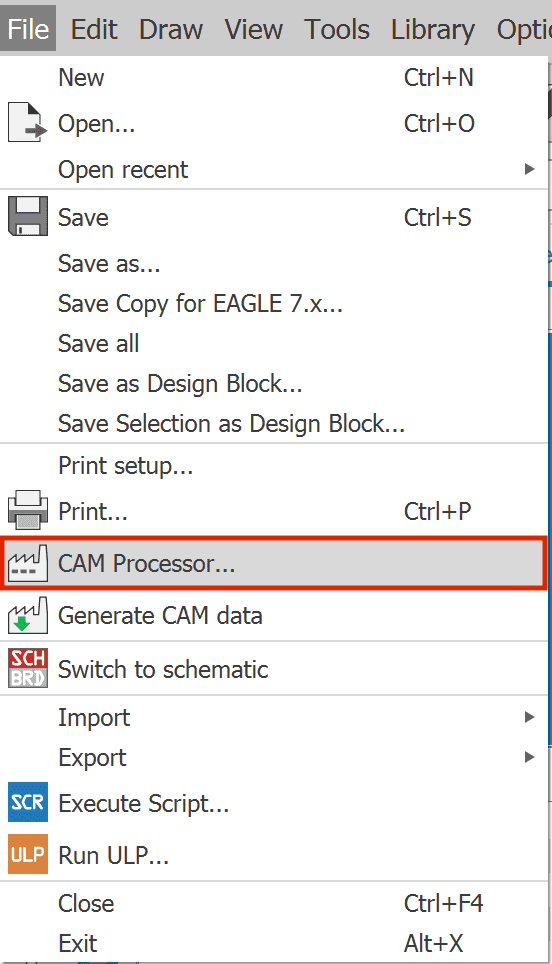
2. Click on “File” -> “CAM Processor” in the menu bar.
3. Select “CSV” as the Output Type under “Output Files” -> “Assembly” -> “Bill of Material”.
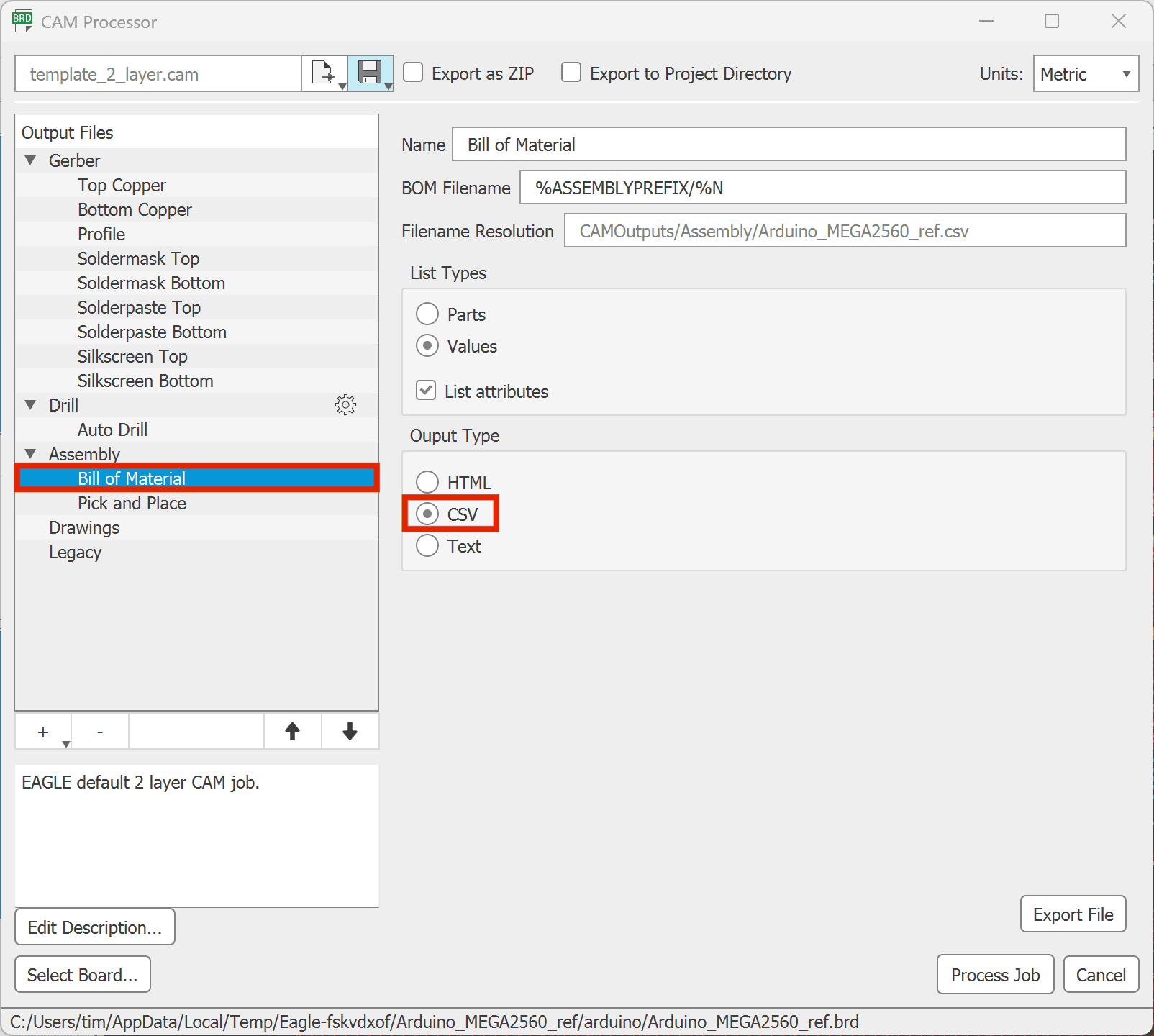
4. Click on “Process Job” and save the data to a directory of your choice.
Unfortunately, the exported component placement data is exported in two separate files, although our software only accepts a single file. Therefore, the following step is necessary.
Exporting Component Positioning (CPL)
To export Component Positioning (CPL) as a single file to EAGLE, follow these steps:
1. Download the following exporting script: "cpl_exporter.ulp"
2. Open the project you want to export in EAGLE.
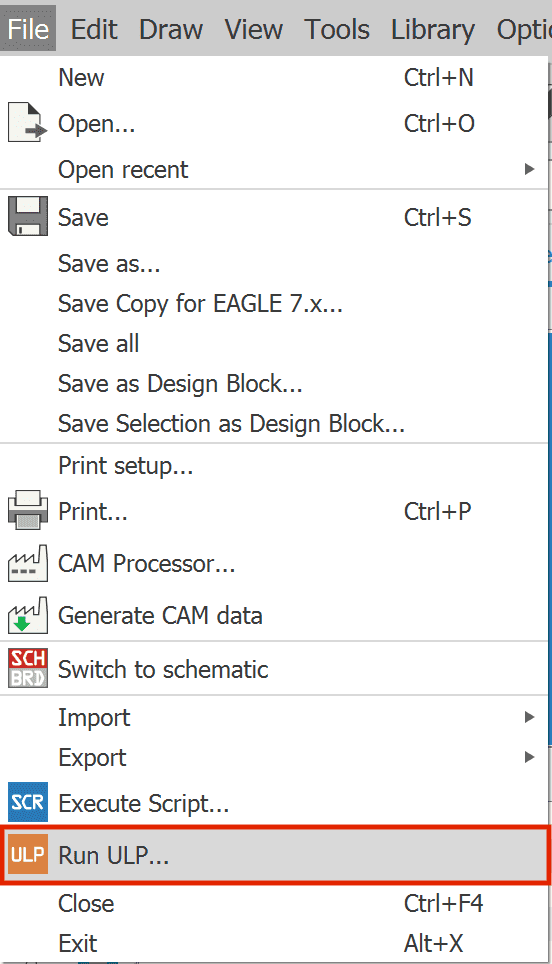
3. Click on “File” -> “Run ULP”.
4. Click on “Browse...” and select the previously downloaded exporting script: “cpl_exporter.ulp”
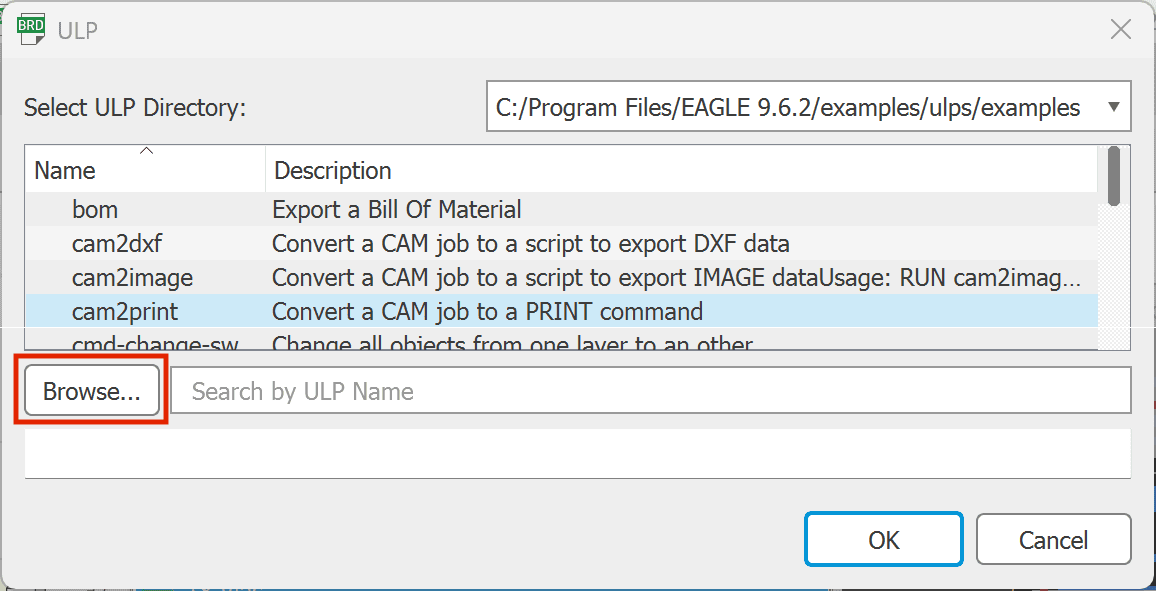
5. Select the folder into which the CPL file should be exported.
Others also liked: