

Summarize with AI:





How BOM/ERP Matching cuts quoting time in half
Anyone who prepares quotes for PCB assembly knows the real time sink: not the calculation itself, but cleaning up the BOM.
Before you can even start quoting, you often first have to make sure the items in the customer’s BOM match the components stored internally:
Which MPN (Manufacturer Part Number) corresponds to which IPN (Internal Part Number)?
Is it really the right part or just “similar”?
Is information missing, are values unclear, is it a generic component?
And in the end, a lot of it ends up back in Excel – plus follow-up questions
That is exactly where BOM/ERP Matching comes in.
The problem: Manual IPN assignment slows down quoting
In practice, BOMs are rarely “perfect”: MPNs (Manufacturer Part Numbers) are often outdated, incorrect, or come from suppliers/distributors you don’t use.
At the same time, your internal process runs on IPNs (Internal Part Numbers). So every line item has to be manually assigned to an IPN first. This takes time and it’s tedious.
The solution: Automatic matching after BOM upload
With BOM/ERP Matching, the assignment happens right after upload:
The customer uploads the BOM
bee connect automatically matches each component (MPN) against your internally recorded part numbers (IPN)
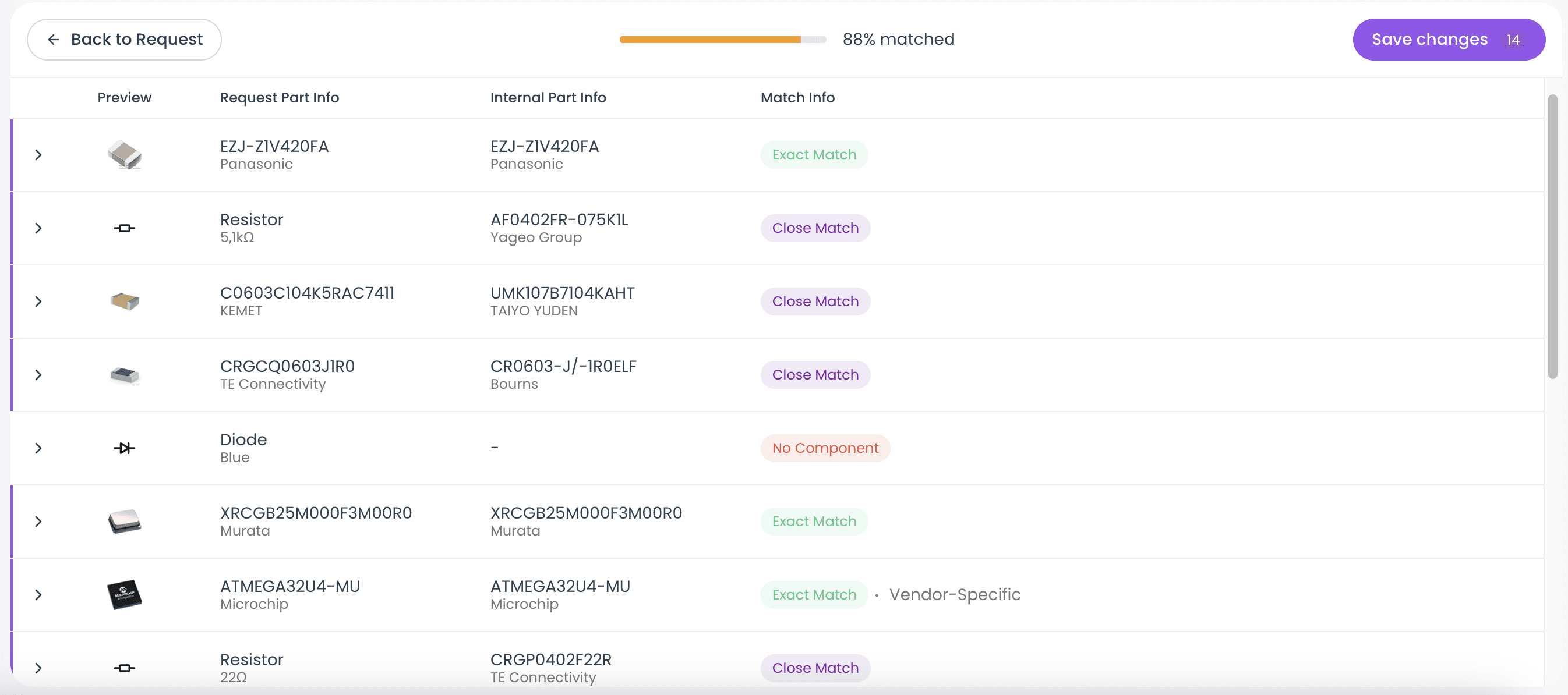
You get a clear matching view:
Exact (direct match)
Similar (very likely correct – quick review)
No match (no match found – adjustment needed)
Instead of searching for every part manually in Excel or your ERP system, you instantly get a structured overview of all components – including internal assignments.
Review instead of search: the key difference
This feature doesn’t take responsibility away from you, but it removes the manual work and saves time.
You no longer need to compare every MPN with IPNs in your internal ERP system. Instead, you focus on what really matters:
Quickly review matches
Correct unclear items selectively
Choose alternatives or start an internal search when needed
That’s why the UI is intentionally split into two steps:
Match Overview: Where does everything fit, where is something missing?

Match Details: Item in direct comparison, so you can decide faster
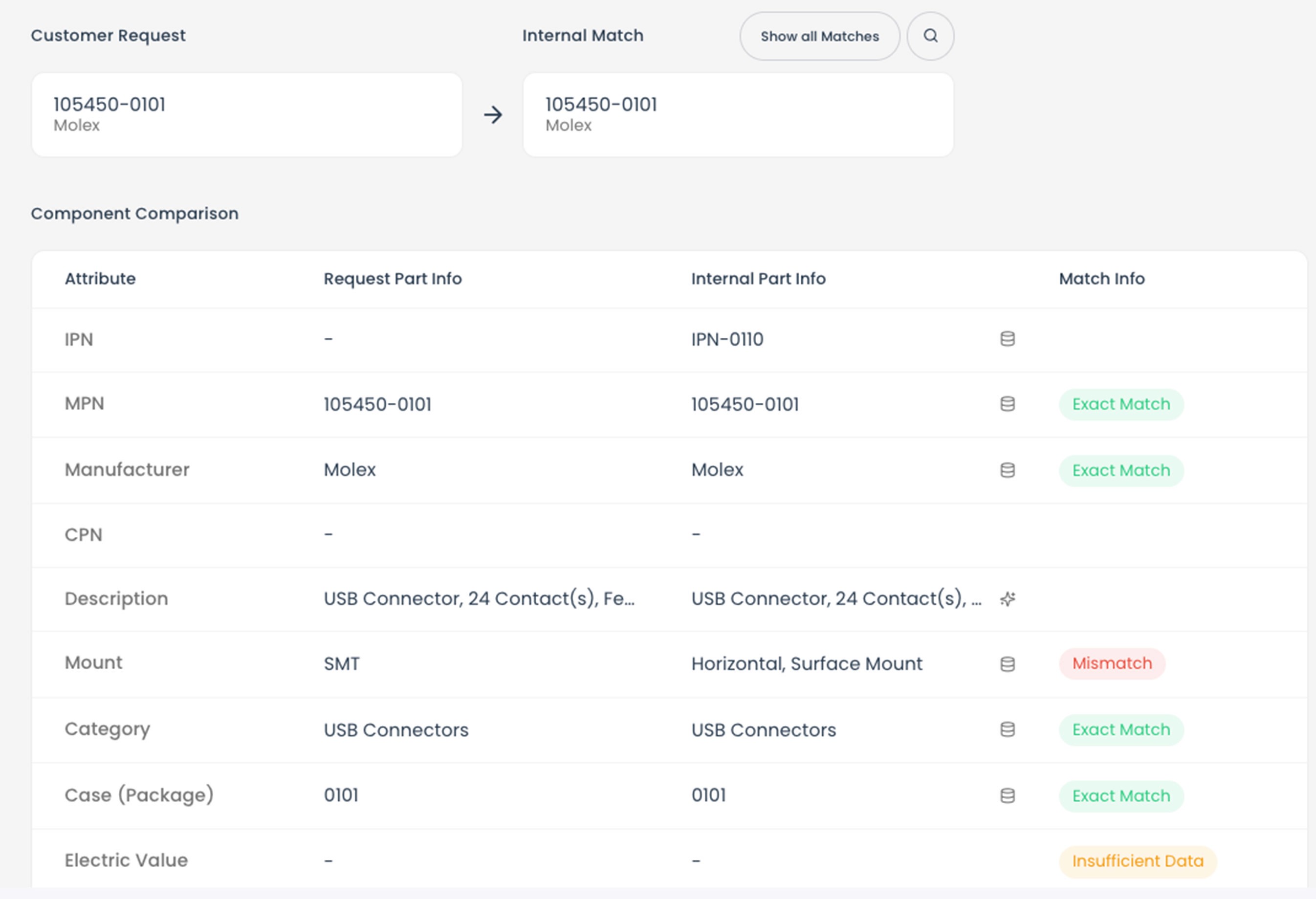
This significantly reduces complexity, because you no longer have to guess in Excel, but can visually compare and correct items with confidence.
Result: Faster quotes, less BOM chaos
Once IPNs are cleanly assigned, quoting becomes much easier:
fewer follow-up questions
fewer errors from wrong assignments
a significantly faster quoting process overall
Excel is still possible – just smarter
In most cases, an Excel file is still needed internally.
That’s why you can download the BOM as Excel after matching – including the specific changes and IPN assignments.
No longer “Excel as the workspace,” but Excel as the outcome.